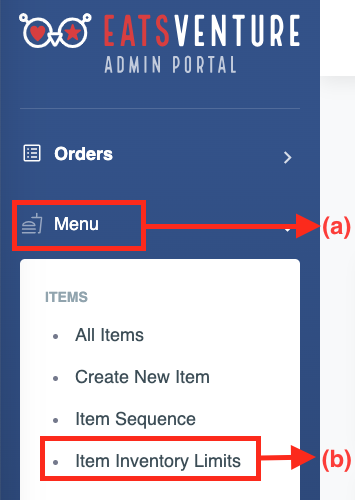
a) Tap on (a)'Menu' option in admin portal and tap (b)'Item inventory limits'.
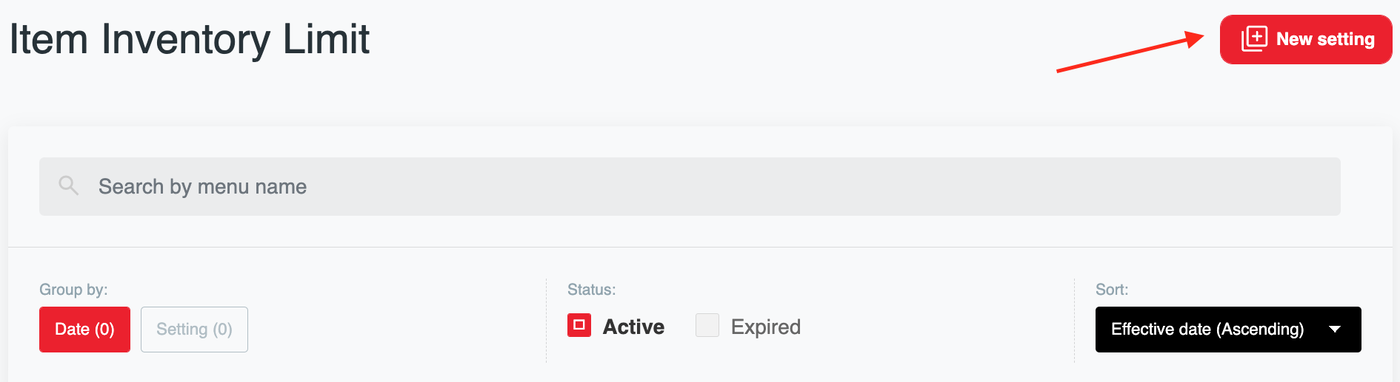
b) Click on ‘New setting’.
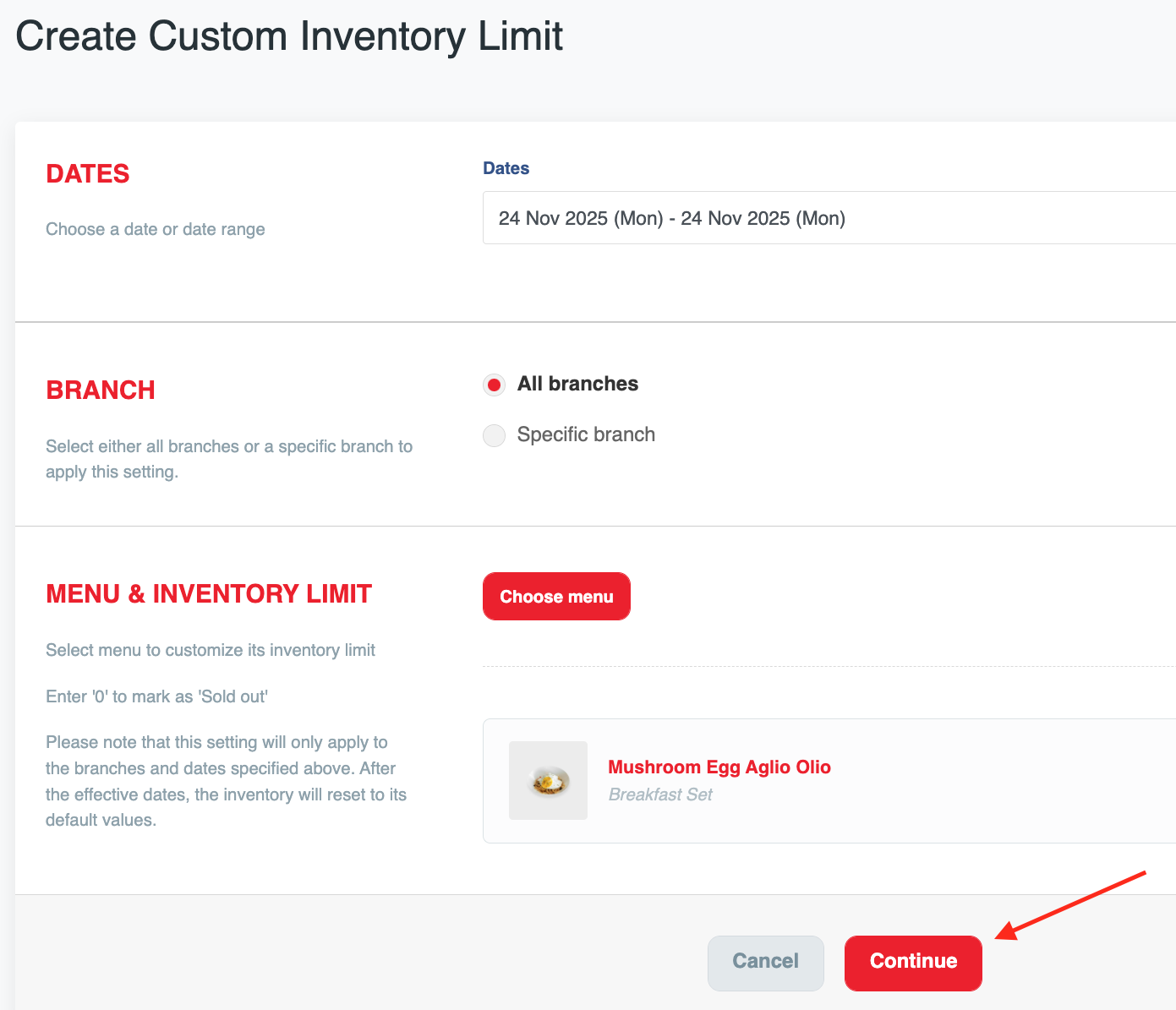
c) Fill in all the details and tap on ‘Continue’ to proceed.
a) Tap on (a)'Menu' option in admin portal and tap (b)'Item inventory limits'.
b) Click on ‘New setting’.
c) Fill in all the details and tap on ‘Continue’ to proceed.