Buyers can make a request at multiple points:
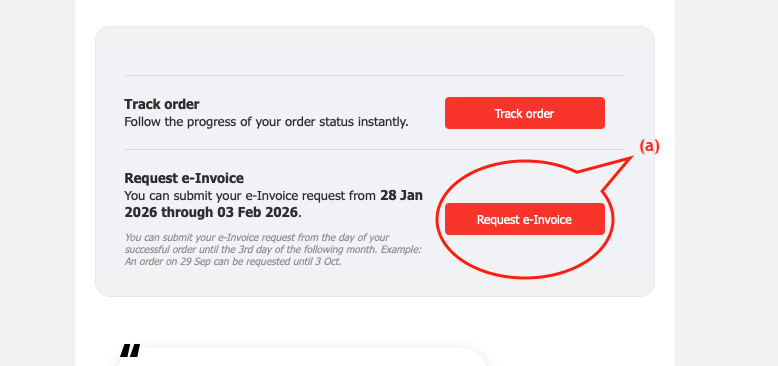
The Receipt Email (via a dedicated link). (a)
The Accounts > My Orders section (available after logging into their account). (b)
(a)
(b)
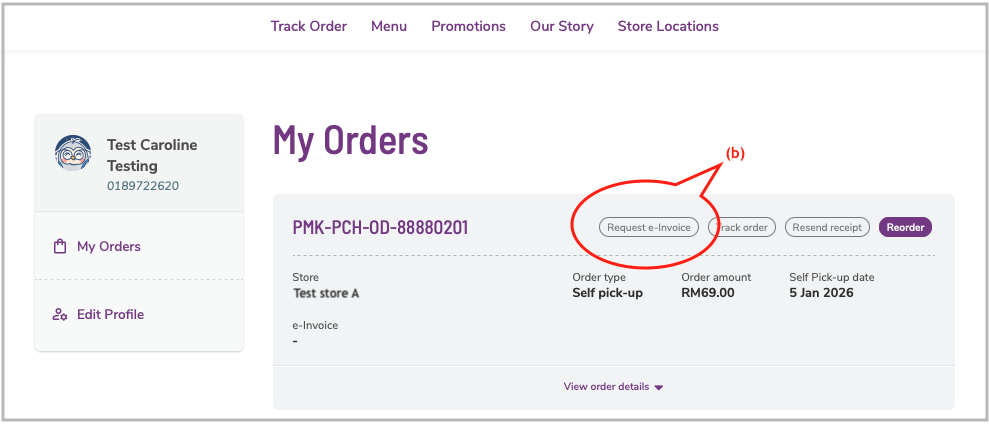
E-invoice will be available after the order is completed. Buyers can check back once the order has been fulfilled.
Requesting for Specific Brands (Manual Process)
If you are not using Shoppertise’s integrated e-Invoicing (e.g., POS providers), the standard "Request" button will be replaced with instructions to email your Finance team directly.
To comply with IRBM requirements, Buyers will be prompted to provide mandatory details, including their full name, IC/ID number, address, contact number, and SST number (if applicable).
Once validated by IRBM, the visual presentation of the e-Invoice will be sent to the email address provided by the Buyer during the request process.