Overview
Shoppertise Eats Venture features a direct integration with the MyInvois platform hosted by the Inland Revenue Board of Malaysia (IRBM/LHDN). This allows your business to automate e-Invoice submissions and enables customers to request them seamlessly, ensuring full compliance with Malaysia’s digital tax requirements.
Please refer to this article on how e-invoicing works for your business on Shoppertise Eats Venture platform.
Step 1: Register your MyInvois Account
Every business must have an active MyInvois account. If you are already registered as a Taxpayer on the portal, please skip to Step 2: Add Shoppertise as Your Intermediary.
Visit the MyTax Portal.
Log in using your User Identification Type and number.
Navigate to the MyInvois link and complete the initial profile setup.

Step 2: Add Shoppertise as Your Intermediary
To automate your invoicing, you must authorize Shoppertise to act as your "Intermediary" within the IRBM system.
1. Access Profile: Click your profile dropdown (top-right) and select "View Taxpayer Profile".

2. Navigate to Intermediaries: Scroll down to the Representatives section and select the "Intermediaries" tab.

3. Add New Intermediary: Click Add Intermediary and enter these Shoppertise credentials:

- TIN (Tax Identification Number): C22945449060
- BRN (Business Registration Number): 201301034266
- Taxpayer Name: SHOPPERTISE SDN. BHD.
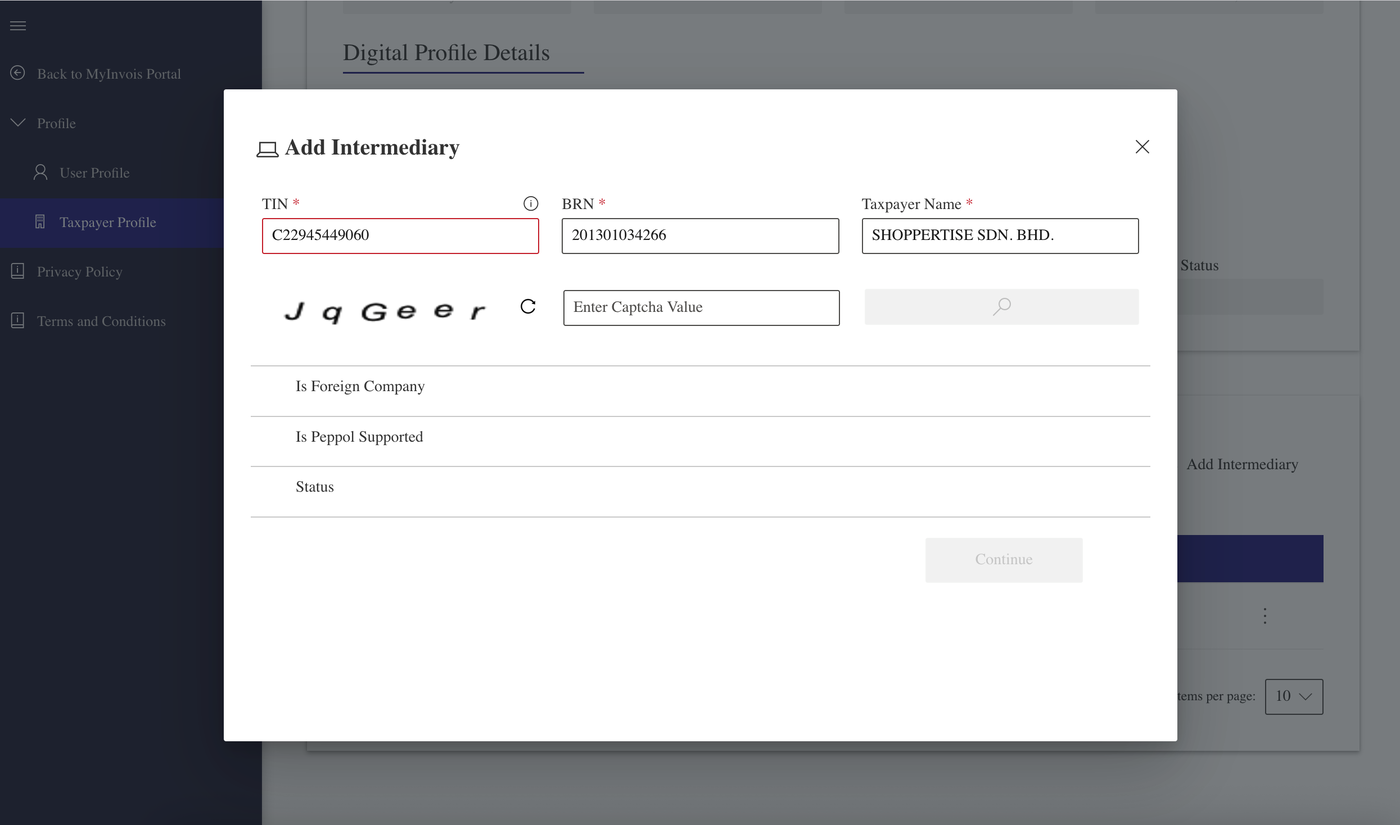
4. Validate & Set Dates: Click the Search icon to verify the info.
5. Set the "Representation From" date to today.
6. Leave "Representation To" blank.

7. Permissions: Toggle all permissions to "Enabled" to allow for end-to-end automation.

8. Confirm: Click "Add Intermediary". You should see a success message. To confirm, click on the "Intermediaries" tab to view the information you have added!

Step 3: Register your MyInvois Account
Once the portal authorization is complete, please fill out our E-Invoicing Activation Form. As a Merchant, you will need to provide:
MSIC Code (Your 5-digit Industry Classification)
TIN (Tax Identification Number)
BRN (Business Registration Number)
Business Registration Name (the one you registered for SSM)
Business Address (Malaysia)
Finance Email Address
Finance Phone Number
Go-Live Date: When you want e-Invoicing to be active for your online orders.
Note for Multiple Entities:
If you operate multiple Sdn Bhd companies, IRBM treats them as separate taxpayers. You must repeat the registration and authorization process for each individual business entity.
Need Technical Support?
If you encounter any issues during the setup, please contact our support team via WhatsApp or email at support@eatsventure.asia.