Pre-Requisites for Moving an Order
Before attempting to move an order to a different branch, merchants must fulfill two critical pre-requisites:
Check Order Status:
The order status must be 'Pending Acceptance'.
Action: If the order has already been accepted, do not attempt the transfer; kindly inform the online order support team to handle the necessary update or transfer from the backend system.
Verify Fulfillment Capacity:
Double-check with the other branch (the destination branch) to ensure the team is aware of the potential order transfer and that they are able to fulfill the order.
Action: Kindly update the other branch after the changes have been successfully made in the system.
These steps ensure a smooth transfer and guarantee the order can be completed at the new location.
To perform this action:
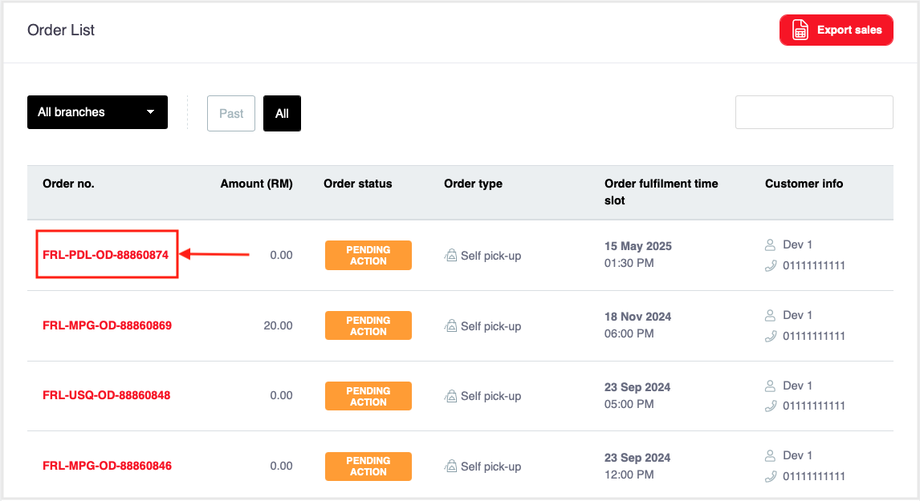
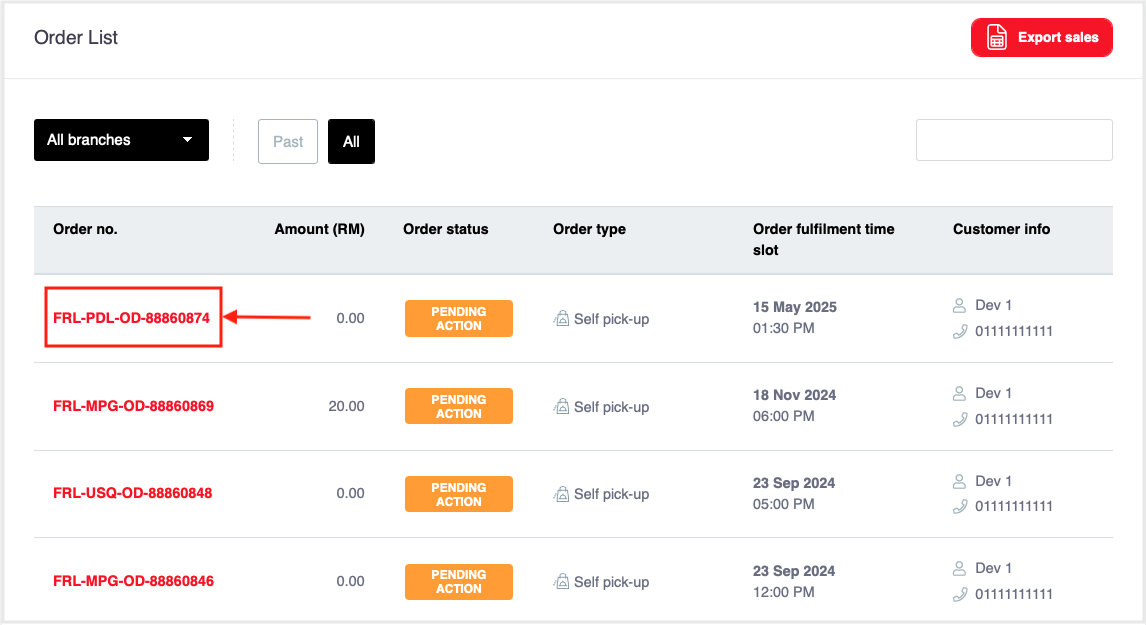
Tap on the order ID number.
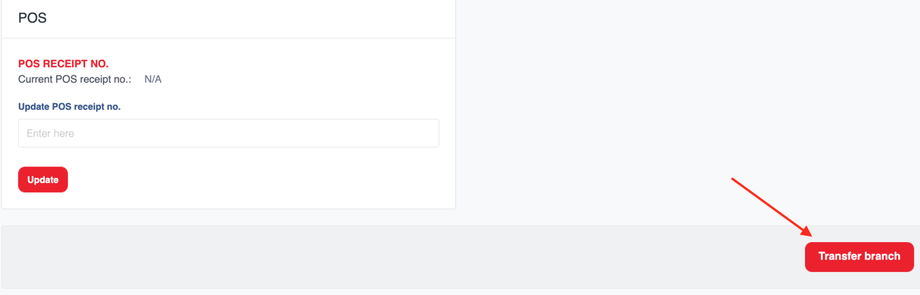
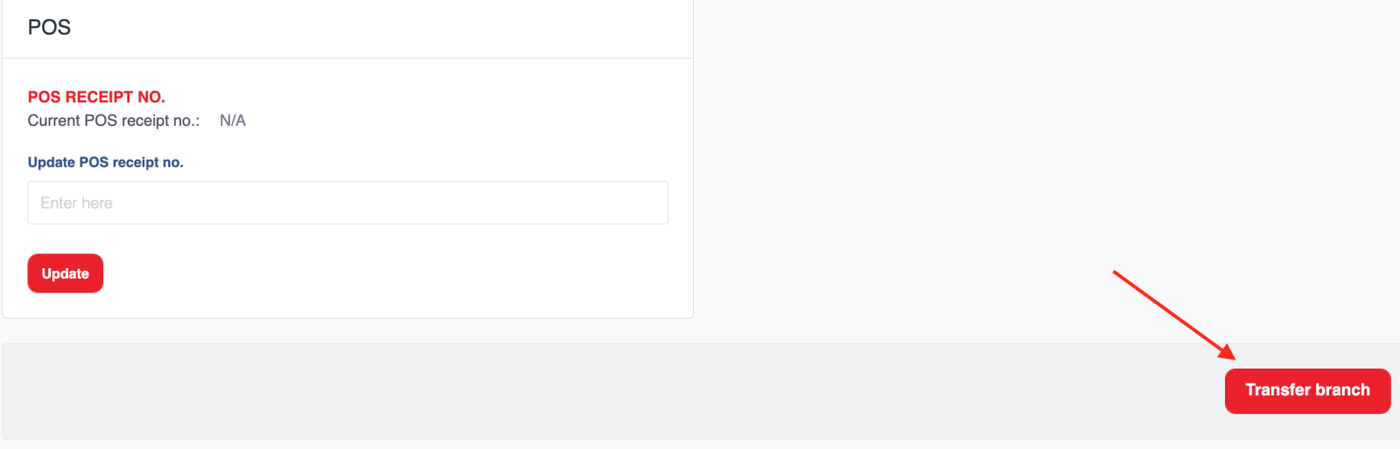
Scroll down and click 'Transfer branch' button.
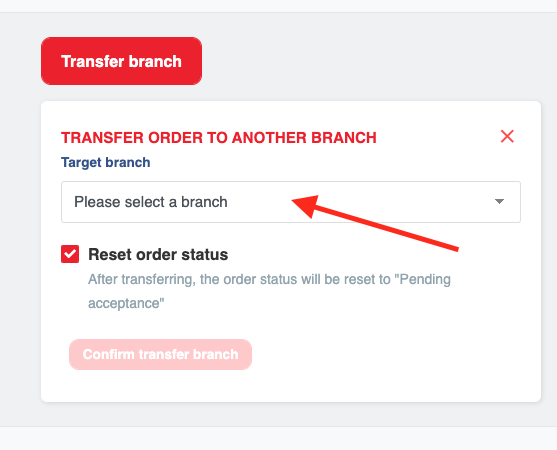
On the transfer screen, Select a branch to transfer the order to from the dropdown menu (as shown in the image).
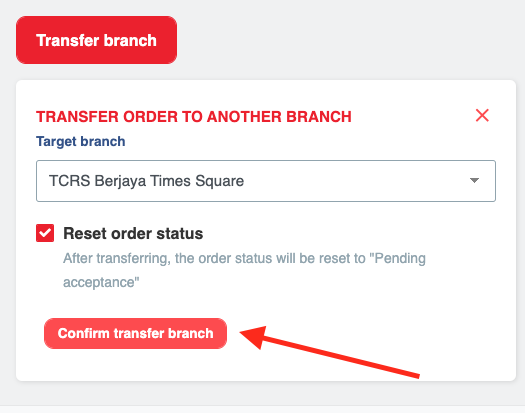
Tap on 'Confirm transfer branch'
Important Note: This functionality ensures customers receive their order even if initial conditions (like stock availability or location) change, improving service recovery. Only use this feature when the change is necessary for successful fulfillment.