Step-by-Step: Resending Order Confirmation (Email receipt)
This function is used to send the receipt again if the customer provided an incorrect email or did not receive the original confirmation.
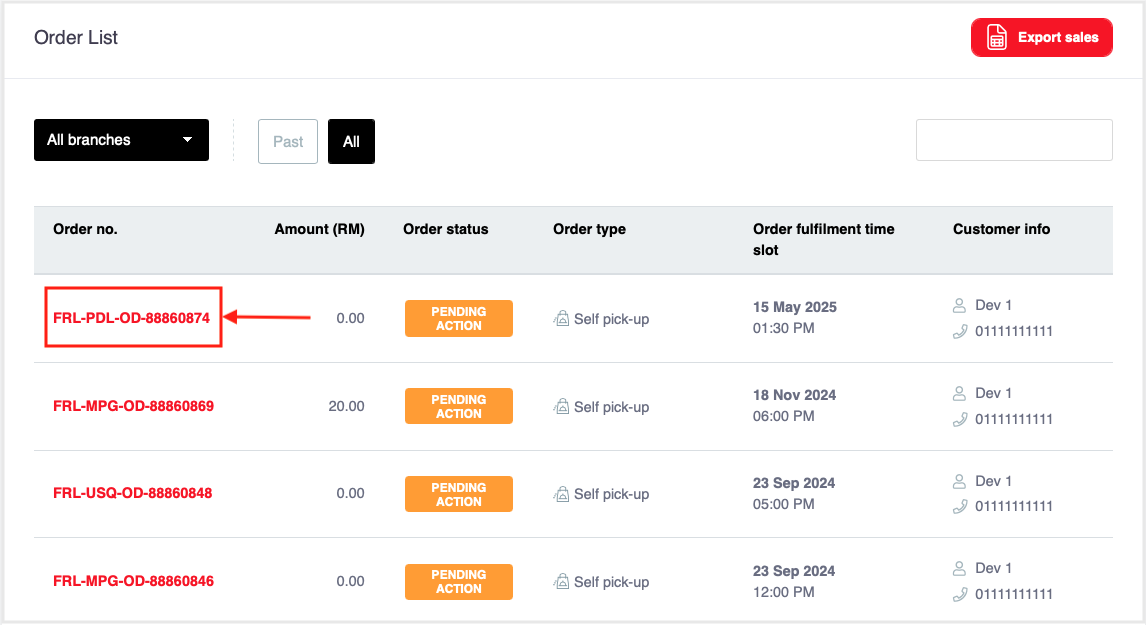
Locate the Order: From the orders list (image below), choose the desired Order ID (e.g.,
FRL-PDL-OD-88860874) to view the details.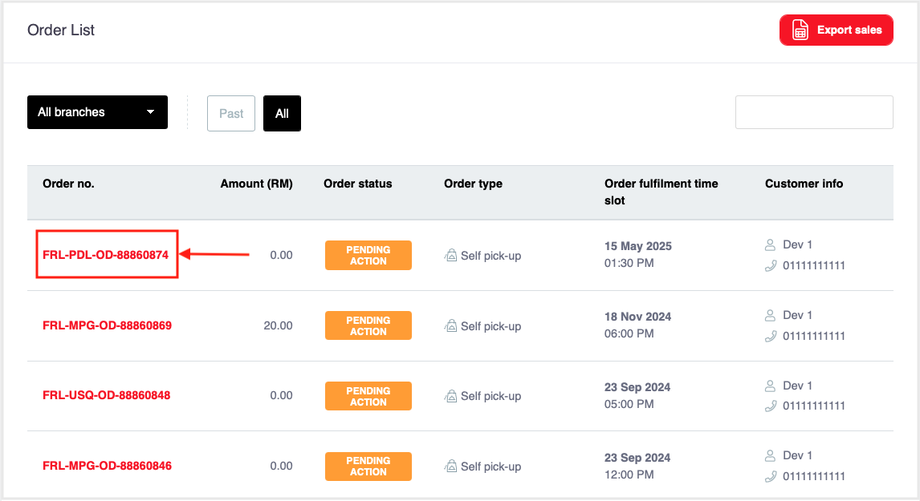
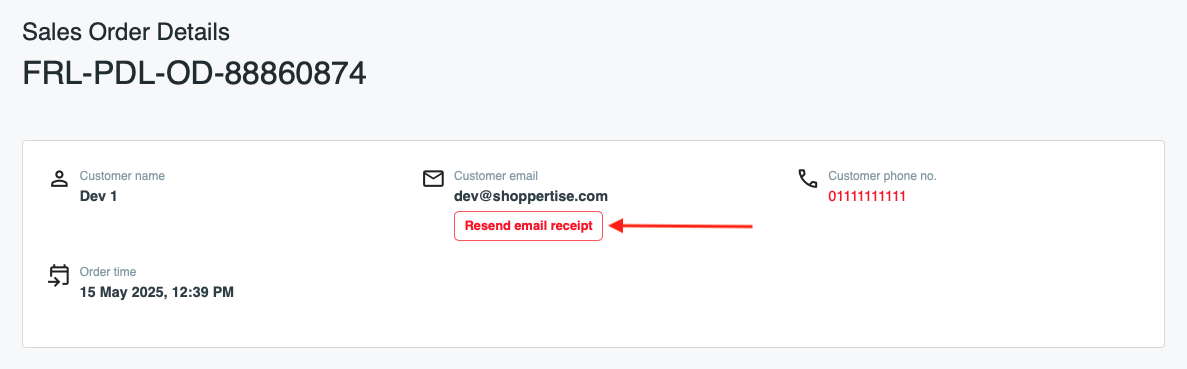
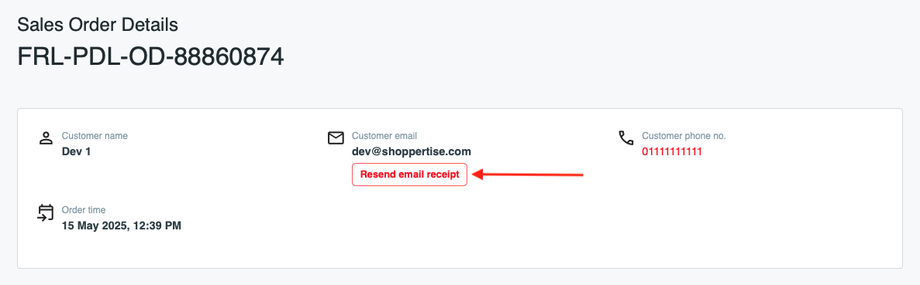
Initiate Resend: On the Sales Order Detail page (Image below), tap on 'Resend email receipt' below the Customer email.
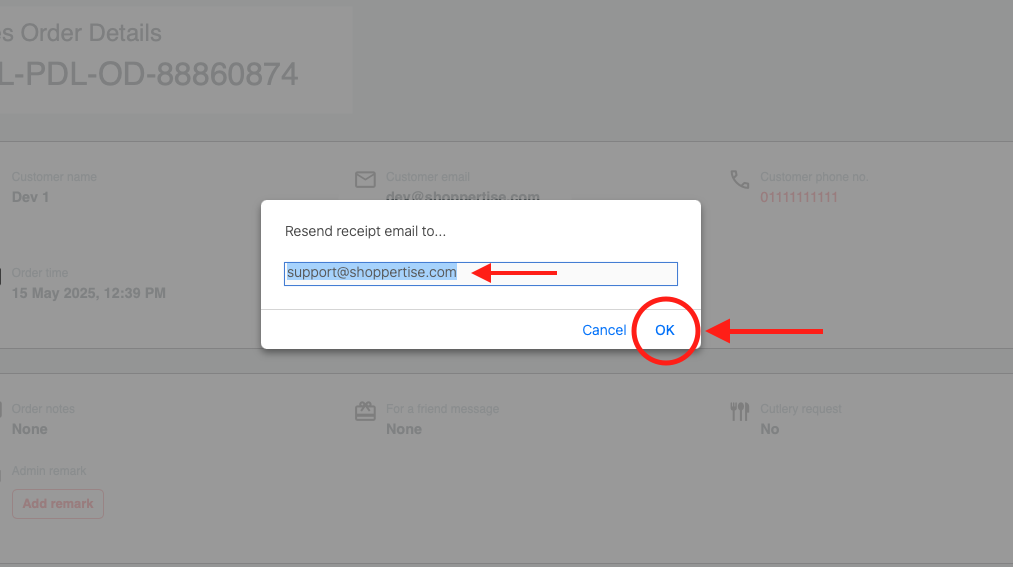
Confirm/Edit Email: A dialog box will appear (Image below). You can edit the customer’s email address if there is a typo or error, or enter an alternative email.
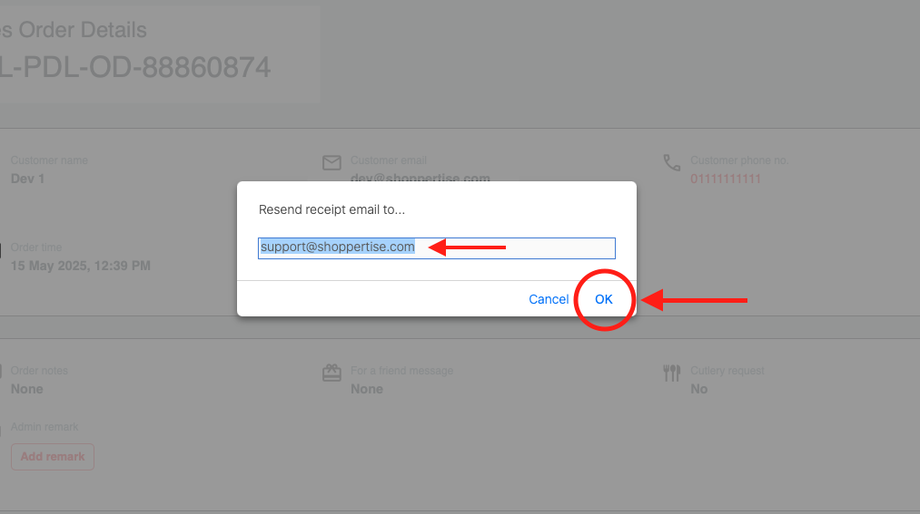
Confirm: Click OK to proceed and send the confirmation receipt to the specified email address.