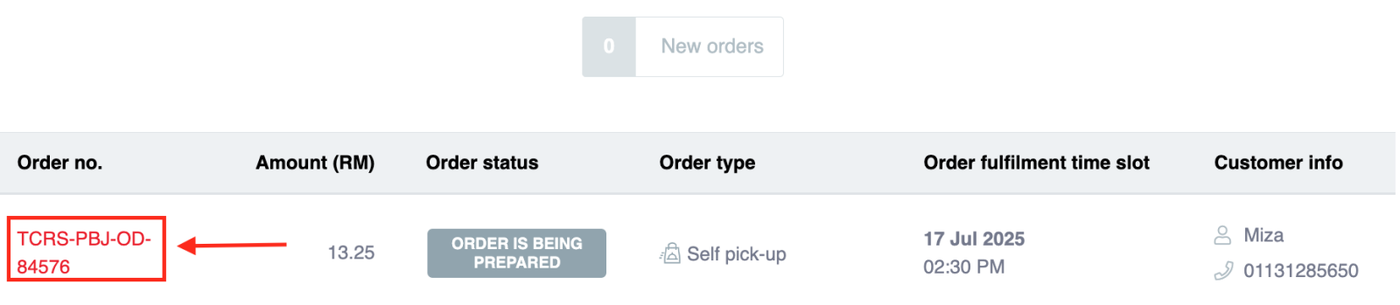
Before proceeding, ensure the order status is 'Pending Acceptance'. If the order has already been accepted (e.g., 'ORDER IS BEING PREPARED' as shown in the list), you must contact the support team to update the time slot from the backend.
Steps to Reschedule:
Locate the Order: From the orders list, choose the desired Order ID (e.g.,
TCRS-PBJ-OD-84576).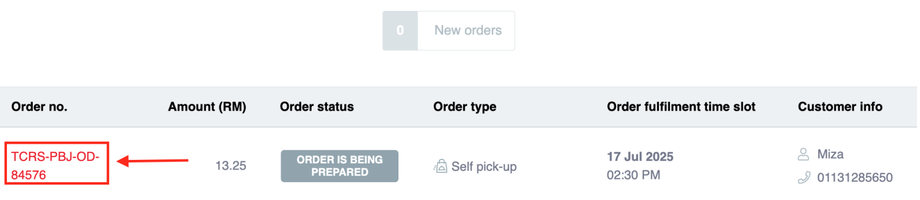
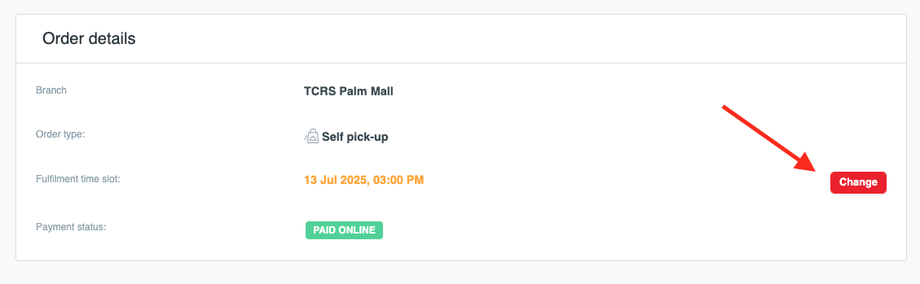
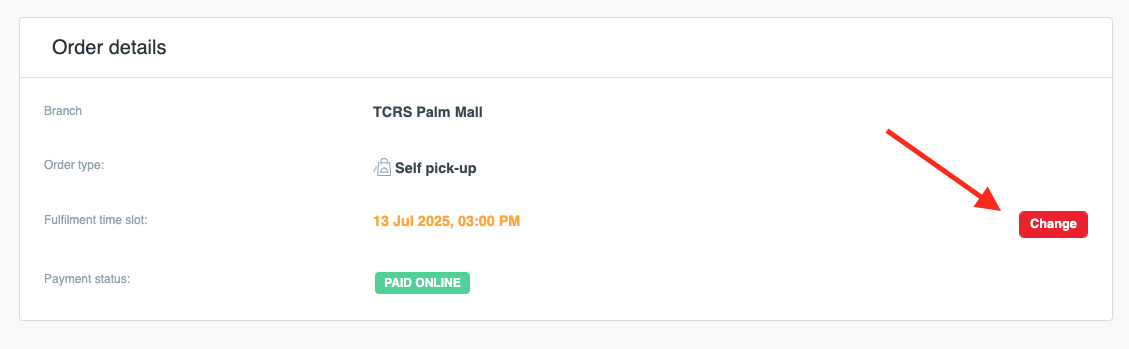
Initiate Change: On the Order Details page, tap the 'Change' button next to the Fulfillment time slot.
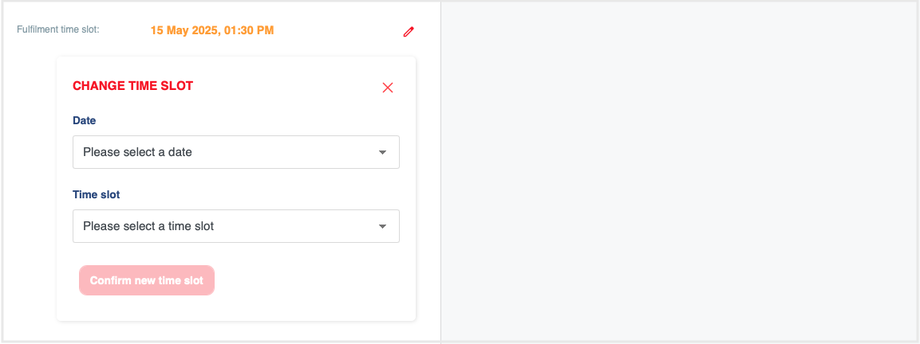
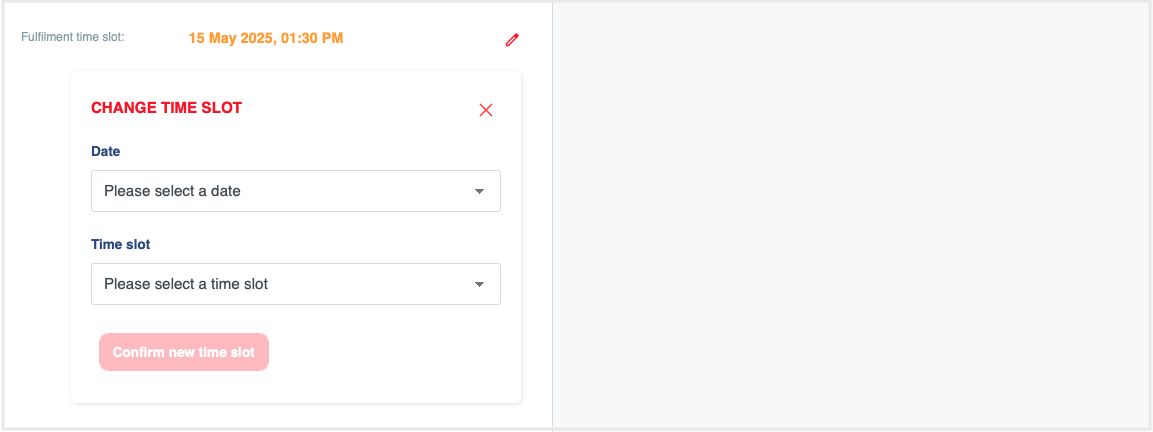
Update Time: In the 'CHANGE TIME SLOT' dialog, select the new Date and Time slot.
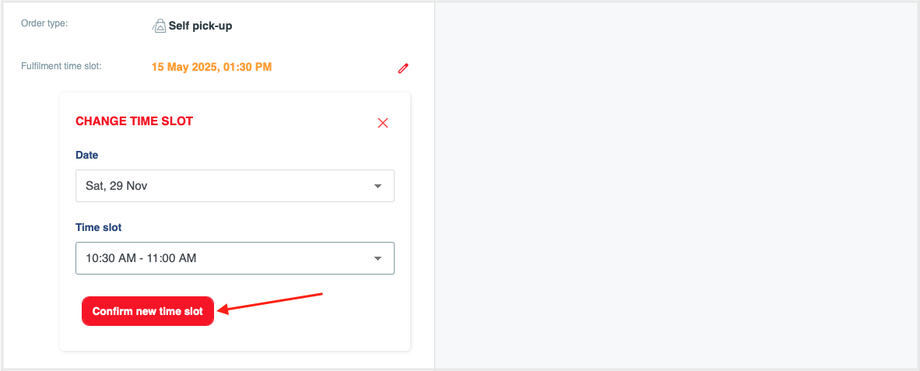
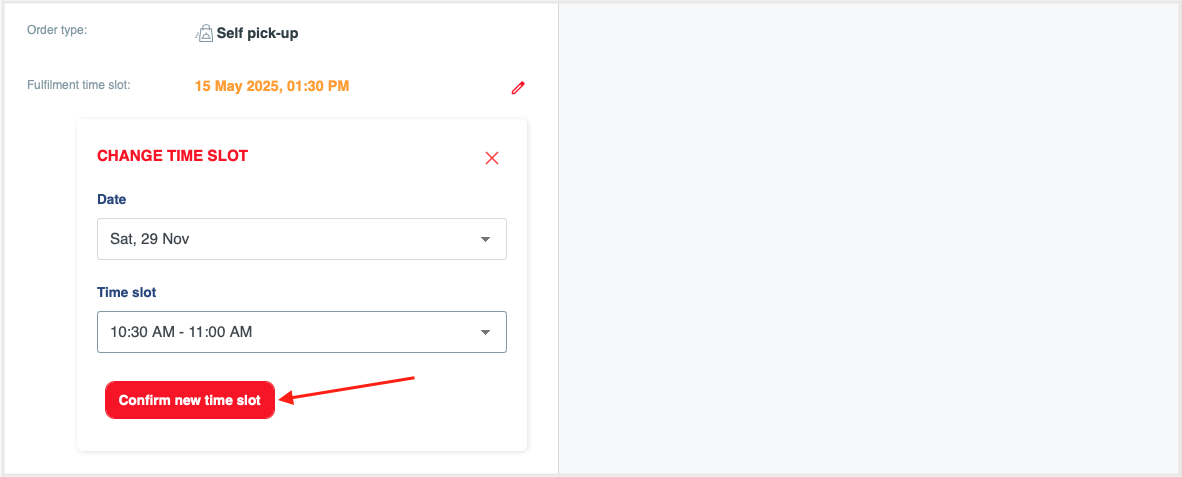
Confirm: Tap on 'Confirm new time slot' to proceed with the update.
This functionality helps you handle last-minute issues smoothly by offering customers alternatives instead of cancellations, keeping expectations clear and maximizing order fulfillment.