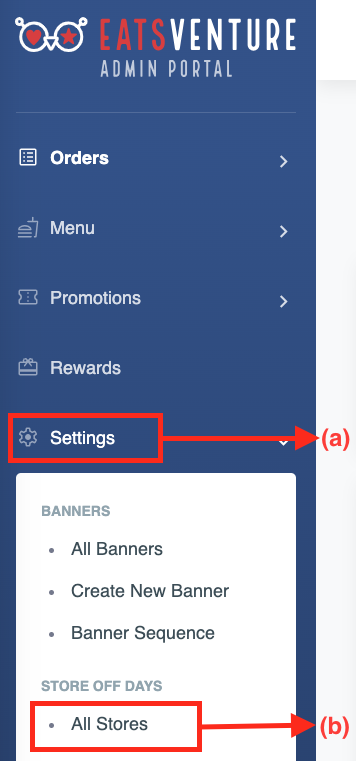
a) Tap on (a)'Setting' option and select (b)'All Stores'.
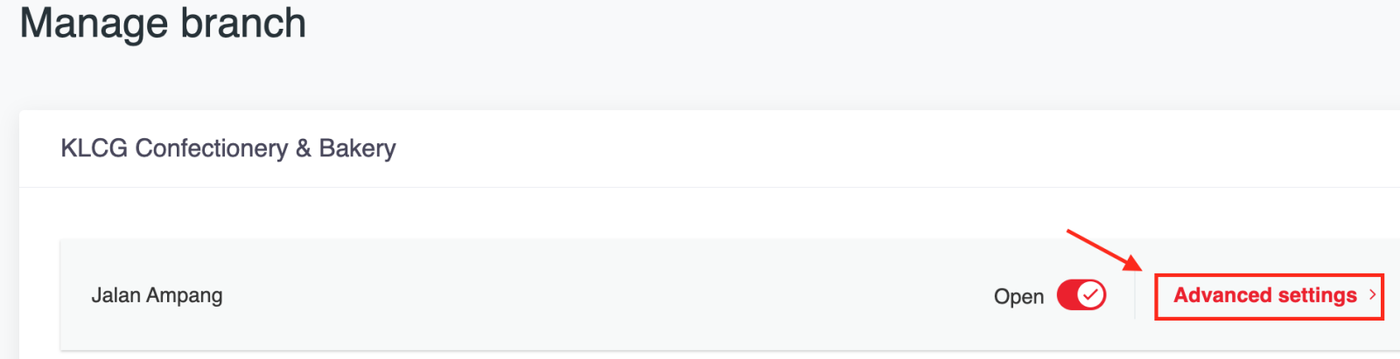
b) Tap on 'Advanced settings'
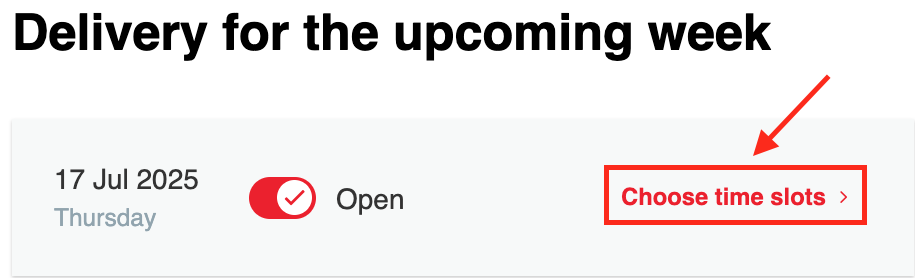
c) Click the button below to open or close the store for the entire day.
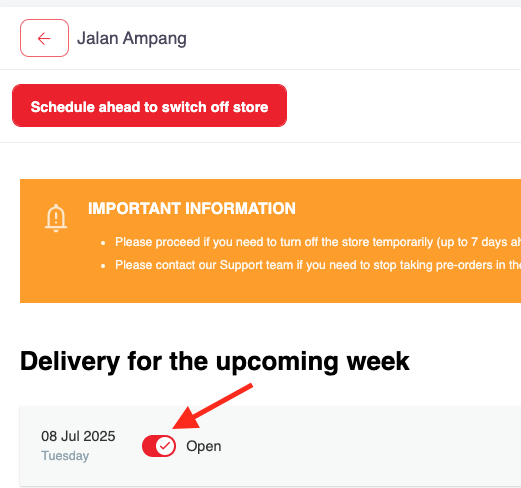
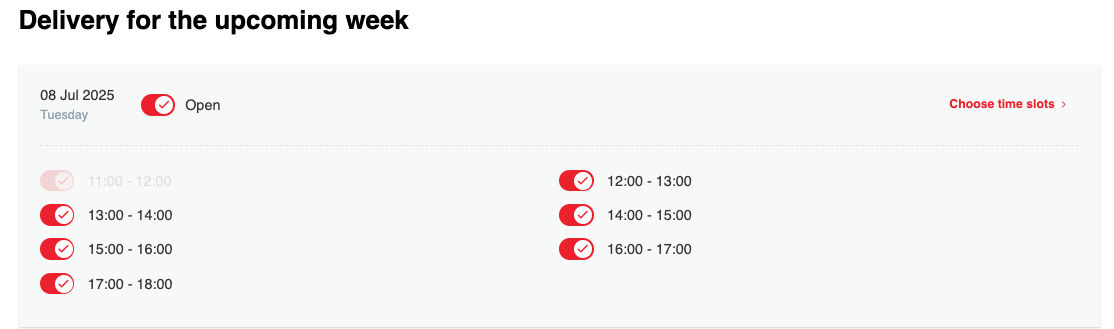
d) If you wish to pause store operations for a 'few hours' Tap on 'choose time slots'.
e)Select a time slot below to temporarily close the store for a few hours.
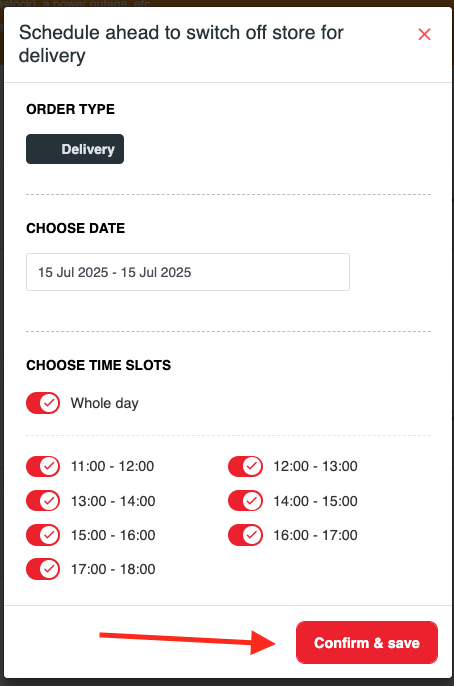
f) If you would like to scheduled dates to switch off delivery , can click below button
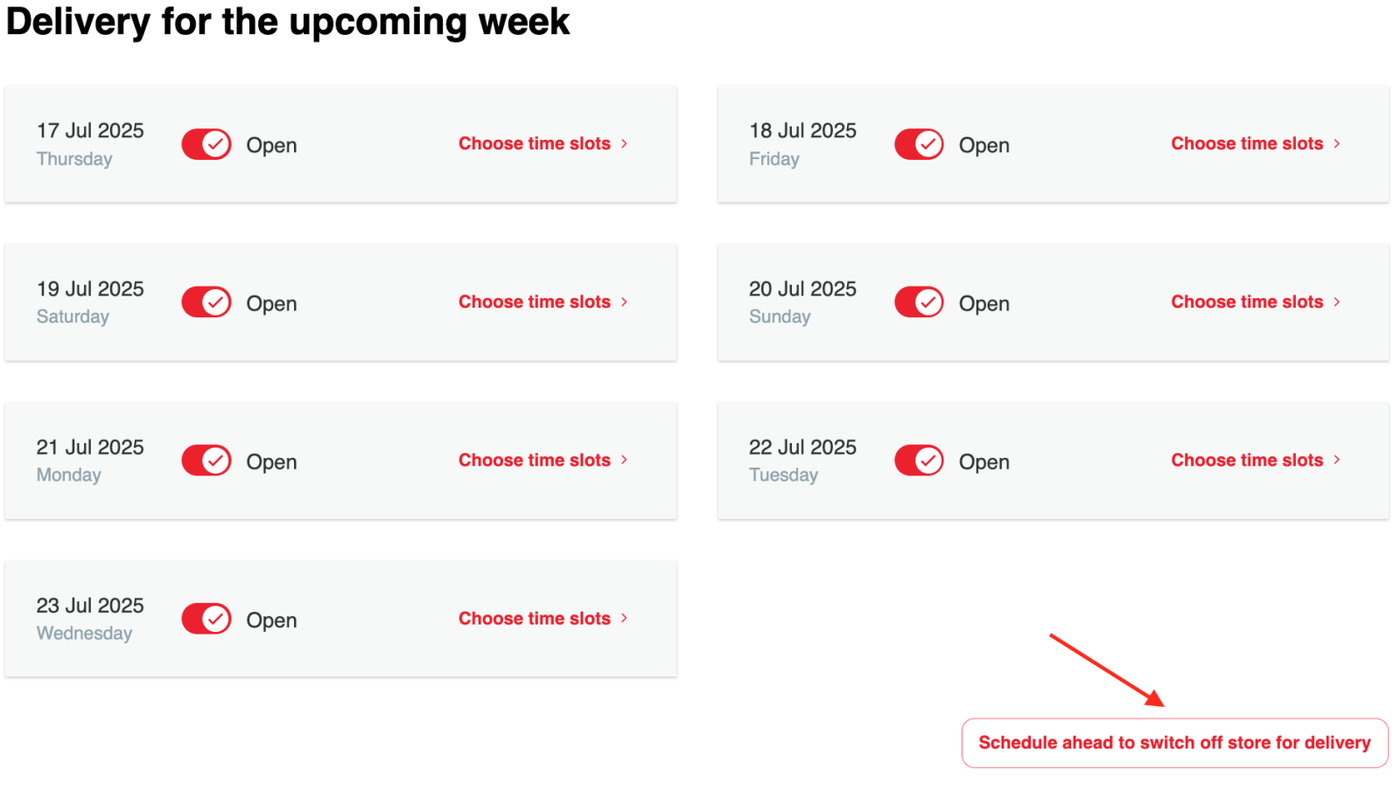
g) Choose the date, time slots and tap 'Confirm & save' button to proceed.